GitHub Spec Kit: A Practical First Try
I spent some time reading through github/spec-kit because I wanted to understand one thing:
Is Spec Kit just another AI coding wrapper,
or does it actually make development less messy?
My short answer: it is useful if I treat it as a workflow, not a magic button.
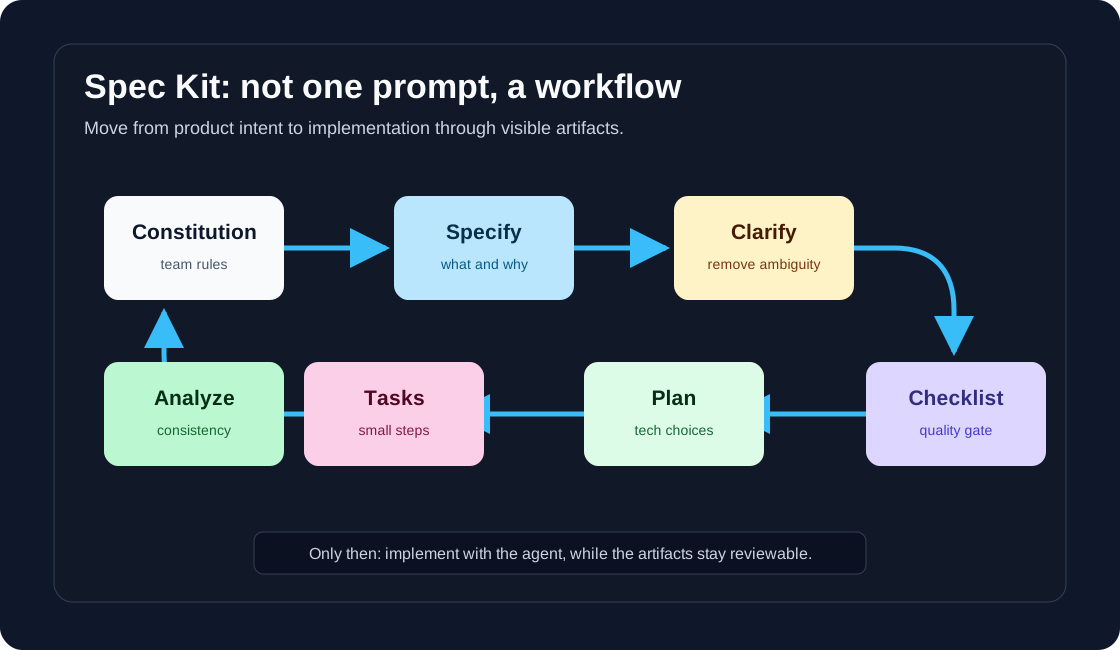
Spec Kit is an open-source toolkit for Spec-Driven Development. The idea is simple: define what to build before building it, refine the spec through structured phases, then let an AI coding agent implement with better context.
That is already better than one giant prompt like:
Build this feature for me.
That prompt usually creates code. It does not always create understanding.
What Spec Kit is trying to fix
AI coding feels fast at the beginning.
I describe a feature, the agent writes code, and suddenly the app changes. The problem comes later, when I need to answer:
- Why was this design chosen?
- Which requirement does this code satisfy?
- Did we forget an edge case?
- Is this task actually complete?
- What should I review first?
Spec Kit tries to slow down the right part of the process.
Not slow down coding. Slow down guessing.
It turns the work into visible artifacts: spec, plan, tasks, and analysis. Those files are useful because both humans and AI can read them.
The simple mental model
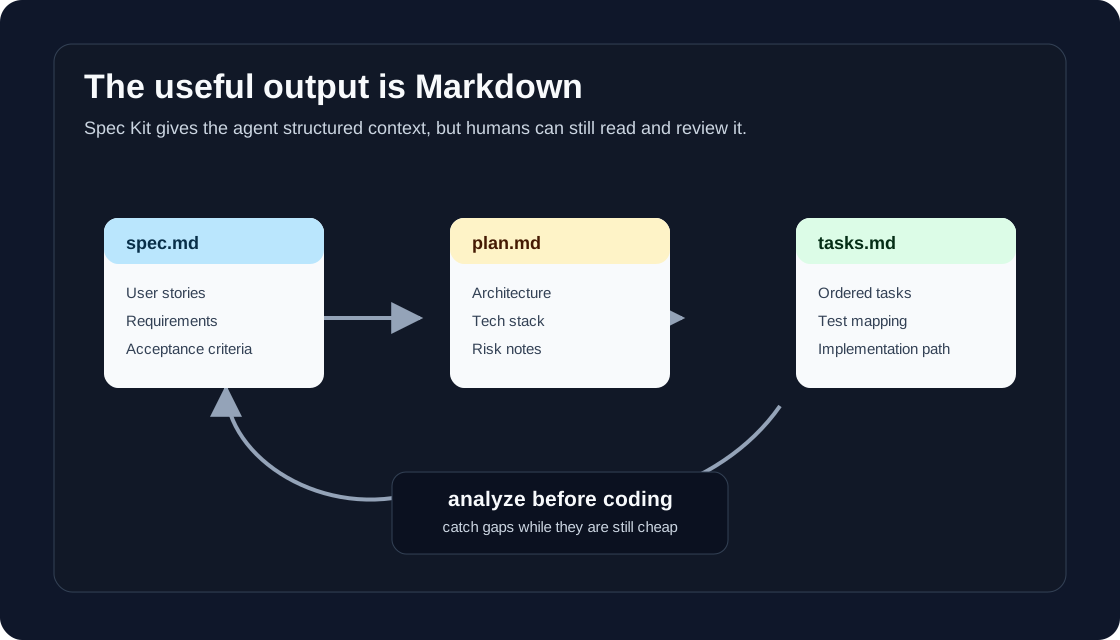
Spec Kit has a few main commands. The names may vary depending on your agent integration, but the official workflow is roughly:
/speckit.constitution
/speckit.specify
/speckit.clarify
/speckit.checklist
/speckit.plan
/speckit.tasks
/speckit.analyze
/speckit.implement
I think about them like this:
| Step | My interpretation |
|---|---|
| Constitution | What rules should every feature follow? |
| Specify | What are we building and why? |
| Clarify | What is still ambiguous? |
| Checklist | Is the requirement quality good enough? |
| Plan | How will we build it? |
| Tasks | What are the small implementation steps? |
| Analyze | Do spec, plan, and tasks agree? |
| Implement | Let the agent build from the plan |
The most important part is the boundary:
specify = what and why
plan = how
tasks = implementation slices
If I mix those too early, I lose the benefit.
How to install it
The official docs say Spec Kit uses the specify CLI and requires uv. For a quick test, the docs show this style:
uvx --from git+https://github.com/github/spec-kit.git specify init my-project
The README also shows installing the CLI as a tool, using a release tag:
uv tool install specify-cli --from git+https://github.com/github/spec-kit.git@vX.Y.Z
Then initialize a project with an agent integration:
specify init my-project --integration copilot
Spec Kit supports many coding agent integrations. The docs say you can run this to see what your installed version supports:
specify integration list
I would start with a disposable test project first. I do not want to introduce a new workflow directly into a production codebase before I understand the generated files.
A small example
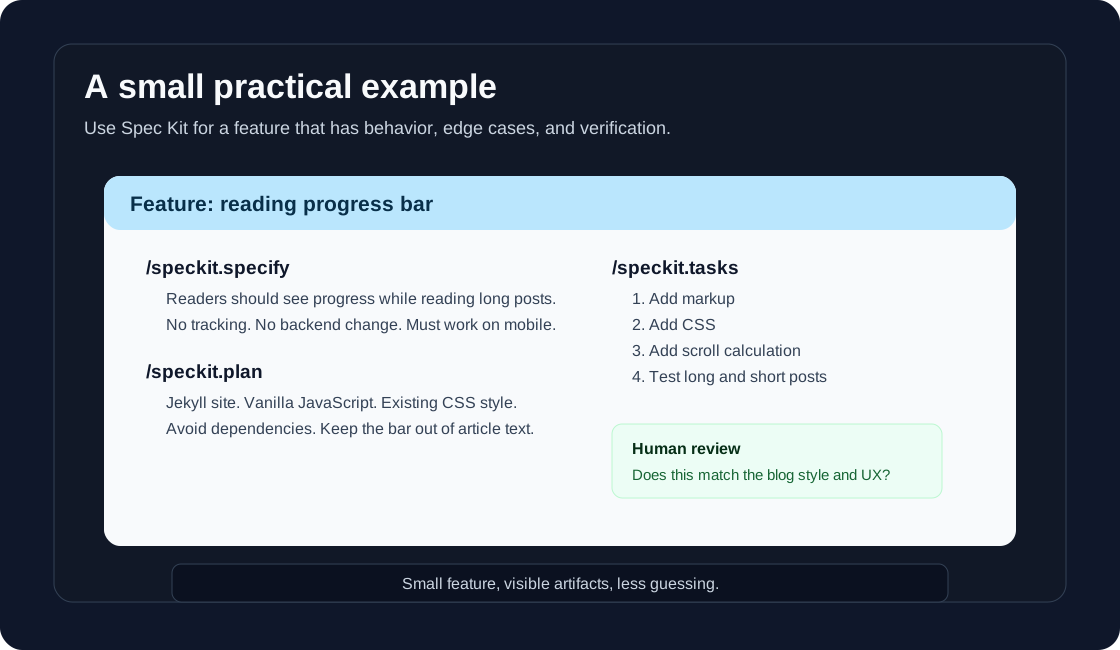
Let us say I want to add a reading progress bar to a blog.
This is small enough to understand, but not so tiny that a spec is useless. There is behavior, UI, mobile layout, and verification.
1. Constitution
I would start by telling the project what kind of rules matter:
/speckit.constitution
This project is a static Jekyll blog. Keep changes simple.
Avoid new dependencies unless clearly justified.
Every visual change must work on mobile and desktop.
Generated code must be readable and easy to review.
This step is easy to skip, but I like it because it gives the agent project taste.
2. Specify
Now describe the feature without choosing the technical implementation too early:
/speckit.specify
Add a reading progress bar to blog posts.
Readers should see how far they are through a long article.
The progress bar should not track users, store data, or require backend changes.
It should stay visible without covering article text on mobile or desktop.
This is the product intent.
At this stage, I should not say “use this JavaScript library” unless that is truly part of the requirement.
3. Clarify
Then I would ask it to find ambiguity:
/speckit.clarify
Focus on mobile behavior, accessibility, and what should happen on very short posts.
This is one of the most practical steps. Good clarification saves review time later.
4. Checklist
Run the requirements checklist:
/speckit.checklist
I think of this as unit tests for English. Before testing code, test whether the requirement is clear enough to build.
5. Plan
Now give the technical direction:
/speckit.plan
This is a Jekyll site using the current theme.
Use vanilla JavaScript and CSS.
Do not add a dependency.
Keep the implementation small and scoped to post pages.
This is where engineering judgment enters. The plan should not be accepted blindly. I would read it before moving on.
6. Tasks
Generate tasks:
/speckit.tasks
I want the tasks to be small enough that each one can be reviewed. If the task list says “implement the feature,” it is too vague.
7. Analyze
Before implementation:
/speckit.analyze
This checks whether the artifacts agree with each other. The official docs recommend doing this before implementation so gaps are caught while the plan and tasks can still be adjusted.
8. Implement
Only after that:
/speckit.implement
Even then, I would not walk away. The agent can write code, but I still own the result.
My practical rules
I would use Spec Kit for:
- a new feature with behavior
- a feature with UX and edge cases
- AI-agent implementation
- work that needs product and engineering alignment
- changes where wrong assumptions are expensive
I would not use it for:
- typo fixes
- tiny CSS changes
- obvious refactors
- throwaway experiments
Spec Kit is a little too much for tiny changes. That is fine. A tool does not need to be for everything to be useful.
What I would always review
Before implementation, I would read:
spec.md
plan.md
tasks.md
And I would ask:
Is the user problem clear?
Are non-goals written down?
Are requirements testable?
Does the plan respect the existing codebase?
Are tasks small enough?
Do tasks map back to requirements?
Did analyze find contradictions?
If the answer is no, I would fix the spec before asking the agent to code.
This is the main point: Spec Kit does not remove thinking. It moves thinking earlier.
Things to be careful about
Spec Kit supports extensions and presets. That sounds powerful, but I would be careful. The docs say community extensions and presets are third-party contributions, so I would review them before using them in an important project.
I would also avoid treating /speckit.implement as the finish line.
The finish line is:
the code works
the tests pass
the implementation matches the spec
the spec still describes reality
If code changes the behavior, the spec should change too.
My conclusion
Spec Kit is not magic.
It will not turn a vague idea into perfect software. It will not make AI agents safe by default. It will not replace review.
But I like the shape of it.
It encourages a healthier workflow:
think first
specify clearly
clarify ambiguity
plan the implementation
break work into tasks
analyze before coding
then implement
For me, the most practical way to use GitHub Spec Kit is not to start with a giant application. Start with one real feature. Keep the spec short. Read every artifact. Let the agent help, but do not outsource judgment.
That is probably the best version of AI-assisted development right now: more structure, less guessing.